Your garden deserves its own journal.
Log your tasks and chores (sowing, fertilising, watering, mowing) and follow your garden through the seasons.
 Free · no ads.
Quick to note today, a clear picture across the season
Garden tasks and problems come back season after season. Tendask keeps your entries, so each year you can rely on what you did and when.
Each entry takes just a few taps: task, plant, time. Tendask links it to the weather and your past entries, so you don’t have to guess later what you did and when.
Quick task entry
Mowed, watered, fertilised? You pick the task, plant and time, and the entry is done before you put the tool down. The weather is attached automatically.
Weather snapshot
With every task Tendask saves the weather at the time. Over the months you know exactly the conditions in which you planted or sprayed.
Reminders
Plan a task ahead and set a reminder. Your phone nudges you at the right time, so it doesn’t stay just a good intention.
Your garden
Beds, orchard and lawn, each plant with its own history: from sowing to harvest.
Plant catalogue
More than 140 species of vegetables, fruit and herbs: add a plant from the list instead of typing from memory.
Journal and notes
Every entry in one clear timeline. You quickly find when you last fertilised or what you noticed on the apple tree last year.
Moon calendar
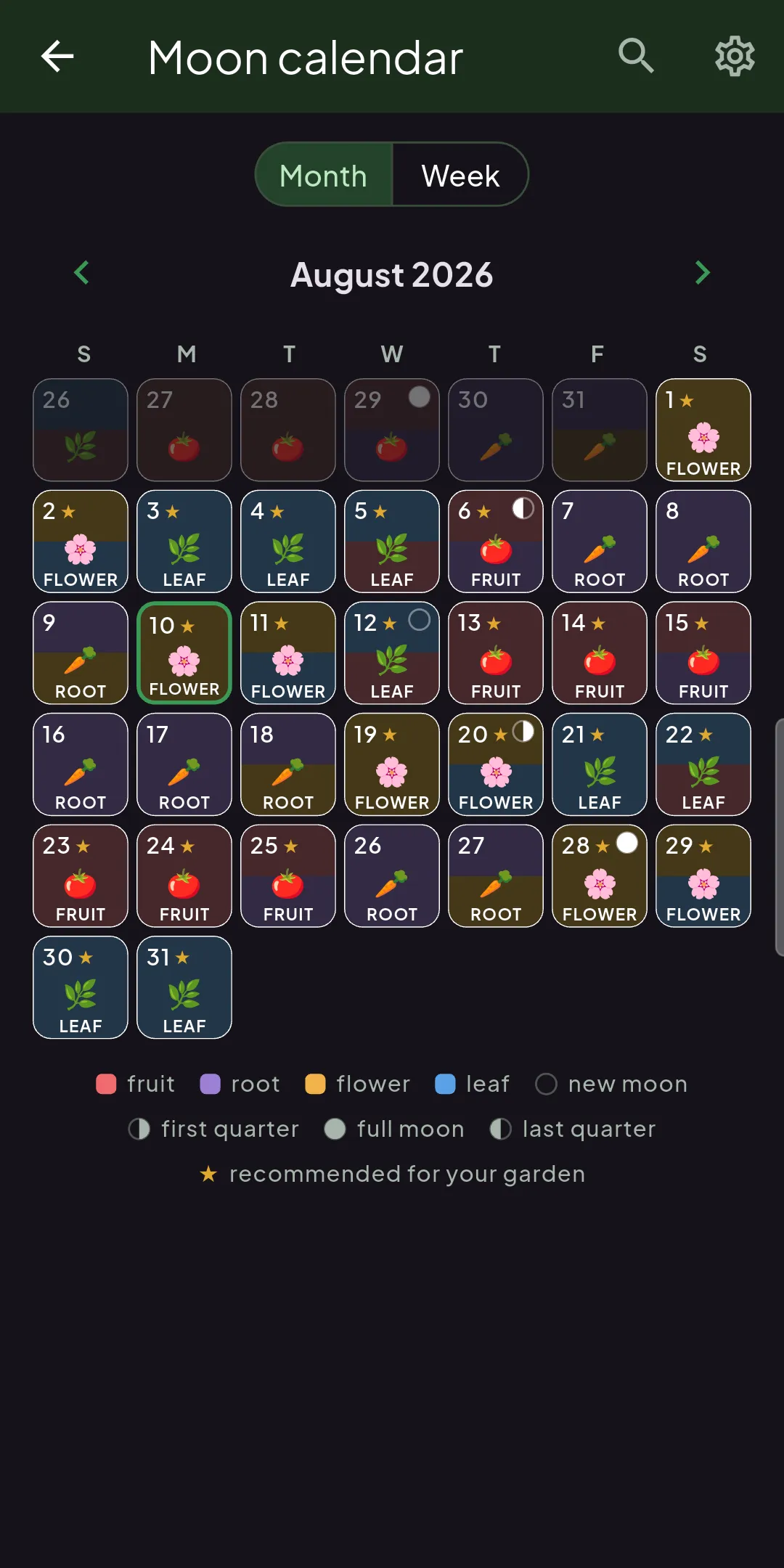
Tendask+A sowing calendar assigns each day one of the four parts of a plant, the fruit, the leaf, the flower or the root. For gardeners who follow biodynamics, that says which plants make sense to sow, plant or transplant on a given day.
Where it comes from
From biodynamics and the printed sowing calendars. The Moon travels through the constellations, each of which belongs to one of the four elements, and that element decides what the day is suited to.
How it is used
You place a plant by the part you are growing it for.
Lettuce, spinach, cabbage, kale and herbs are picked for their leaves, so they go into the ground on a leaf day. Carrots, radishes, beetroot, onions and potatoes are grown for what forms below the soil, so their turn comes on a root day. Tomatoes, peppers, courgettes, cucumbers, beans, peas and fruit trees are grown for their fruit, so they belong to a fruit day. Broccoli, cauliflower, artichokes and ornamental flowers go on a flower day.
For transplanting and any work around the roots, tradition prefers a waning moon, when the sap is drawing back down.
How it works in Tendask
The days are worked out from the real position of the Moon, so there is no printed calendar to look through. The month view is tinted by element and the tag shows up on the task itself in your Journal. You pick between the constellation system the printed calendars use and the more common astrological one.
It is a planning aid. Alongside it you still keep an eye on the weather and the state of your soil.
More about Tendask+ →From the morning overview to the last entry
Click any screen to enlarge.
The morning overview that tells you what matters today
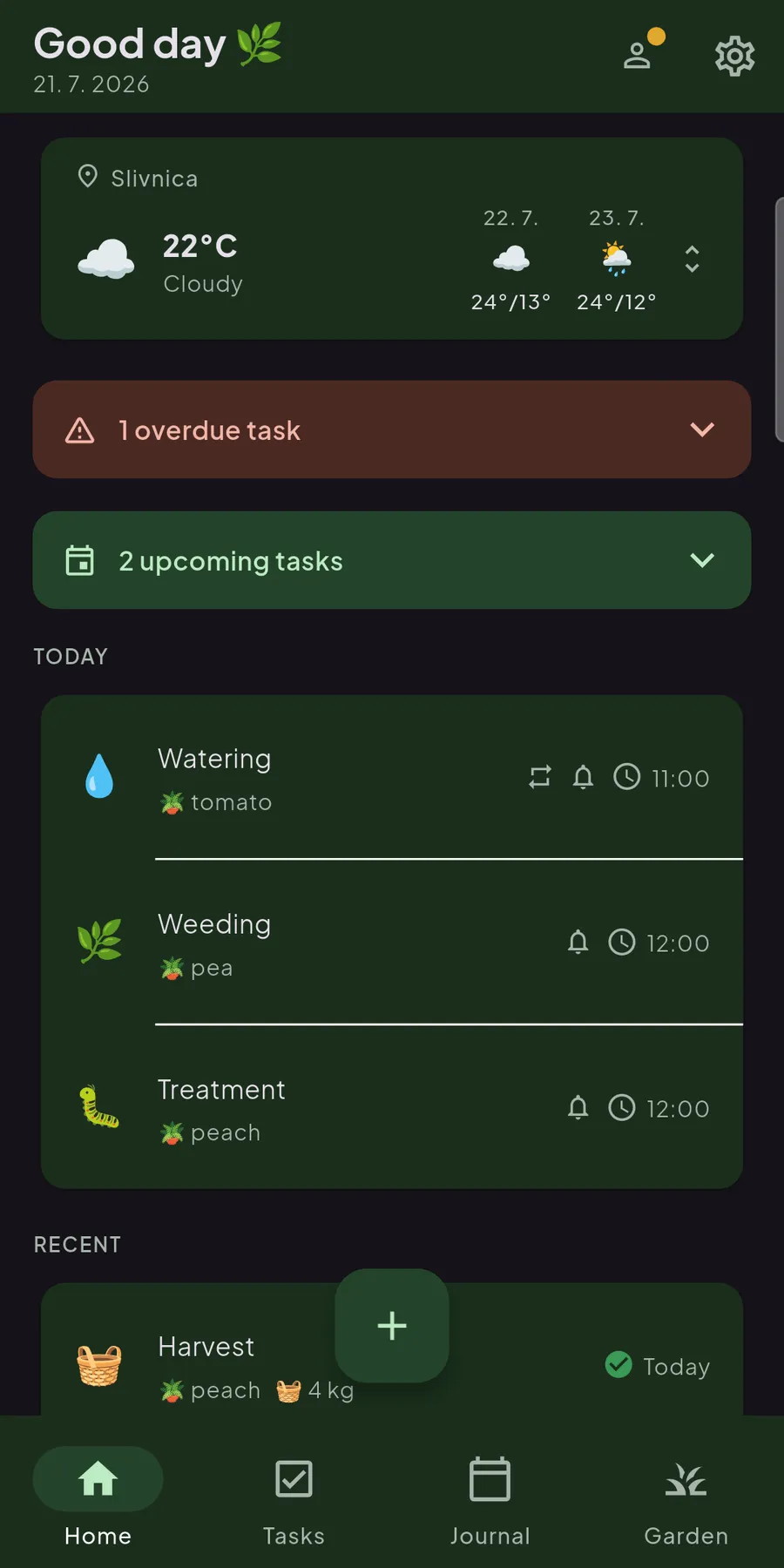
The app greets you with the weather for today and the days ahead, and a list of tasks waiting their turn. Below you’ll find supplies, notes and recently completed work: everything you need that morning, gathered on one screen.
A list that won’t grow over your head
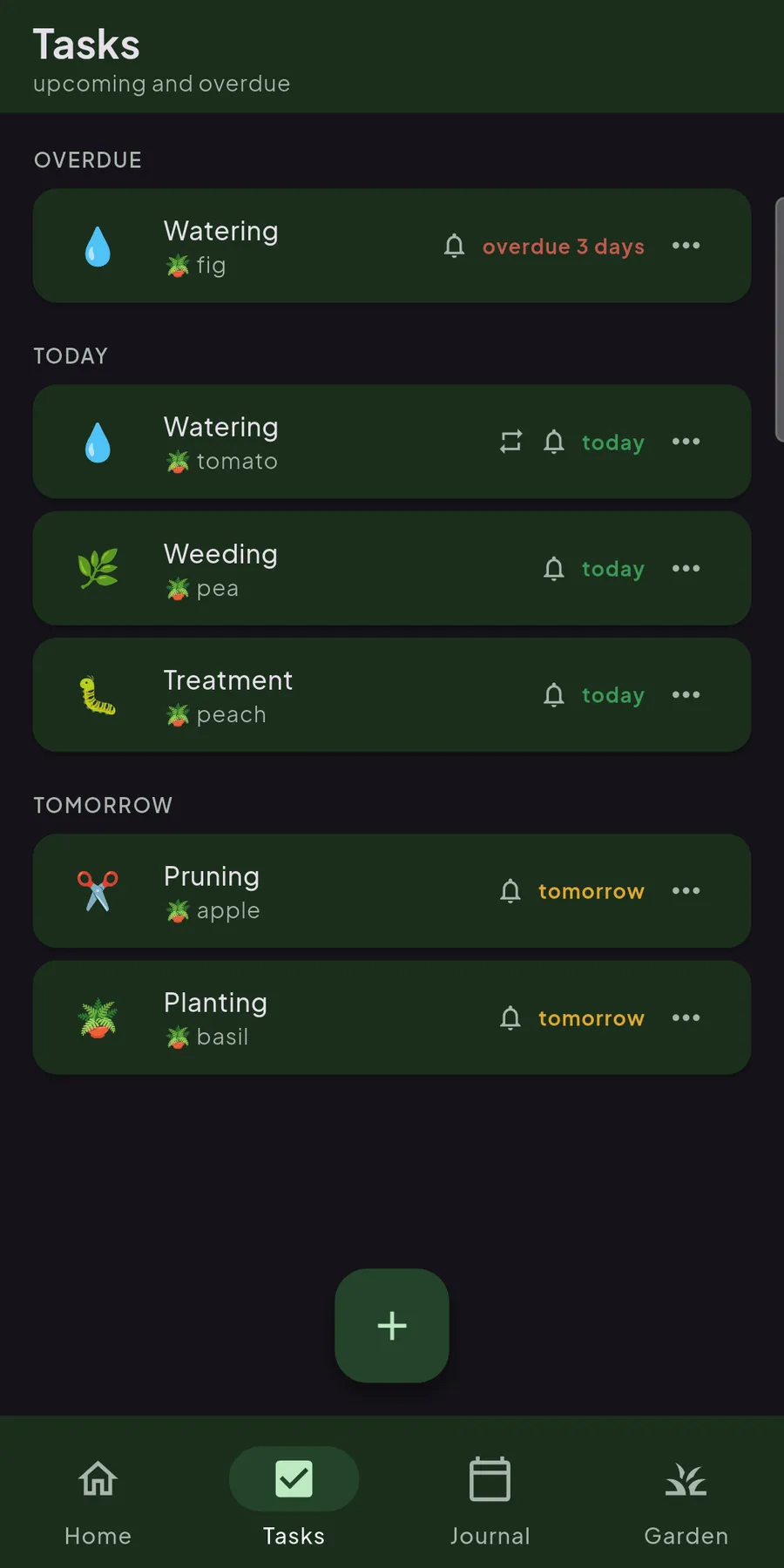
All planned and completed work in one place, neatly ordered by day. You tick them off with a tap, filter by area or plant, and see at a glance what must be done today and what can wait for the weekend.
Your garden, divided just as it really is
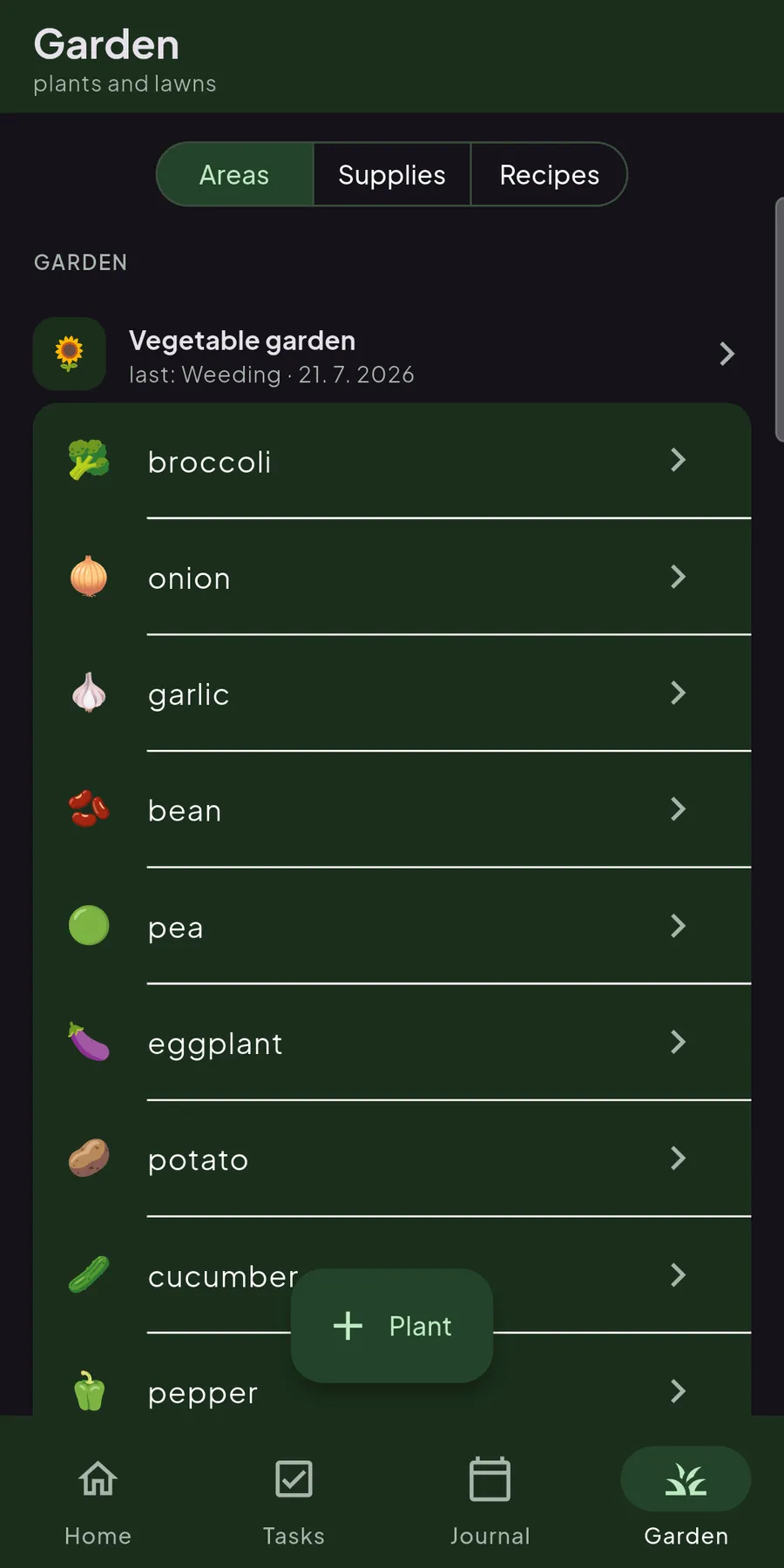
Beds, orchard, lawn, pots: each area gets its place, and every plant is picked from a catalogue of more than 140 species instead of typed from memory. Each one keeps its own card with a history, so you know at a glance which apple tree has had its spray this year and which is still waiting for you.
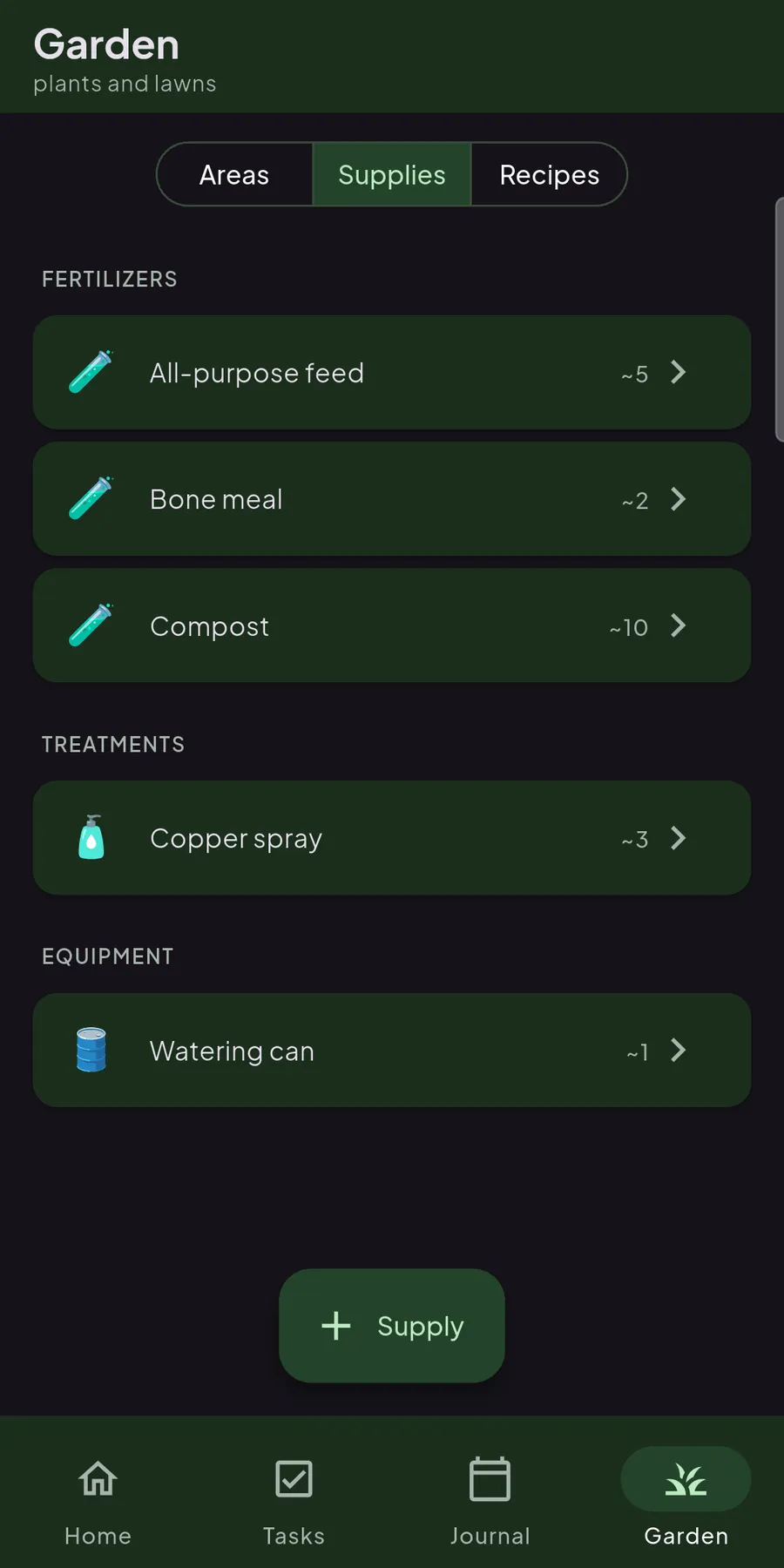
The shed inventory, always in your pocket
Fertilisers, treatments and tools in one tidy list, grouped by type and with a rough count of what’s left. When you log a job you attach the supply you used, so the stock ticks down on its own, and you notice the copper spray is running low before you’re standing empty-handed at the plant.
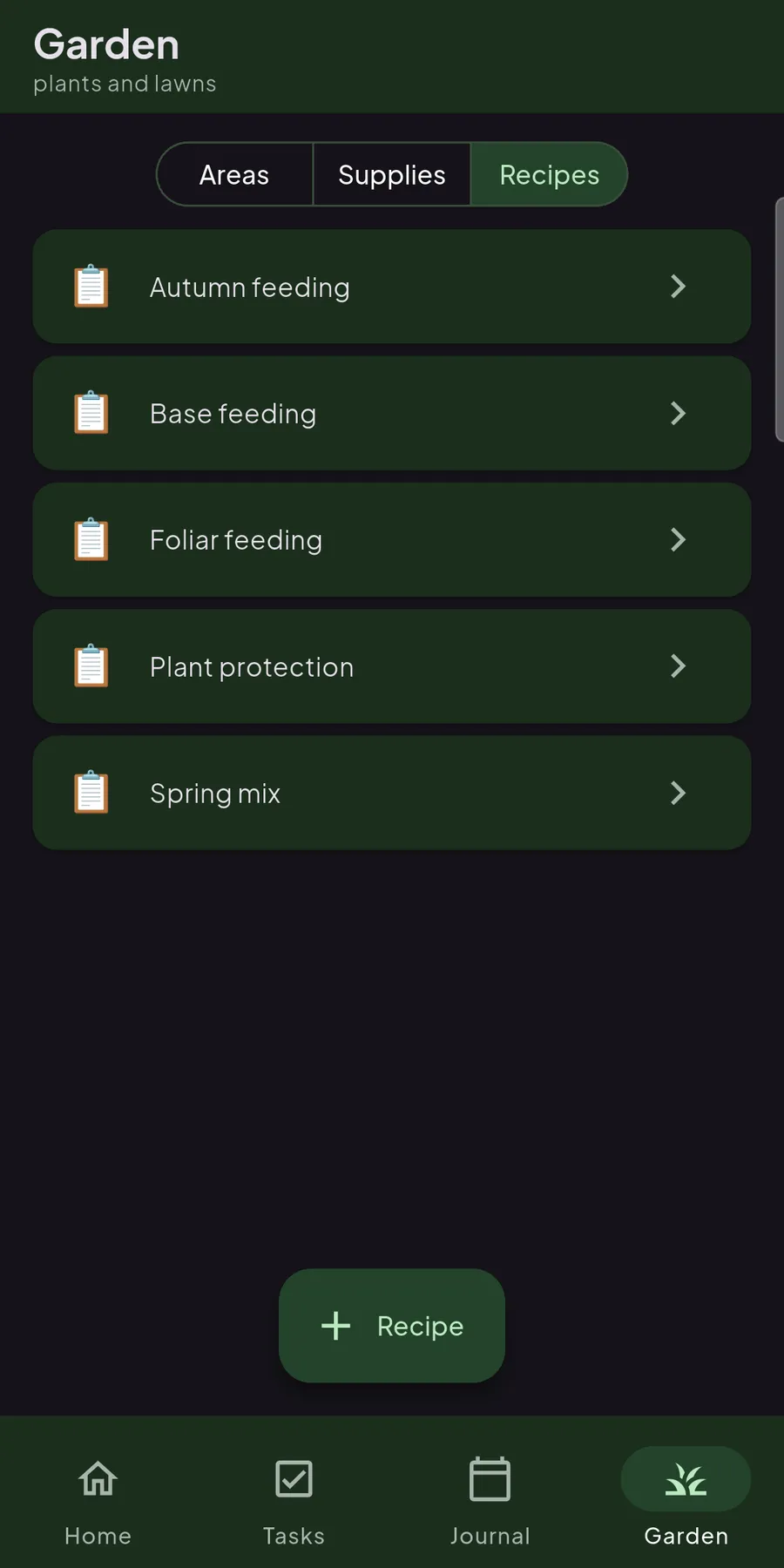
Your tried mixtures, saved once and reused
The feeding and spray mixtures you rely on (autumn feed, a foliar spray, a spring blend), saved with their ingredients and doses. Next time you just reach for one instead of second-guessing the ratio, and the supplies it uses are already linked, so a treatment is two taps away.
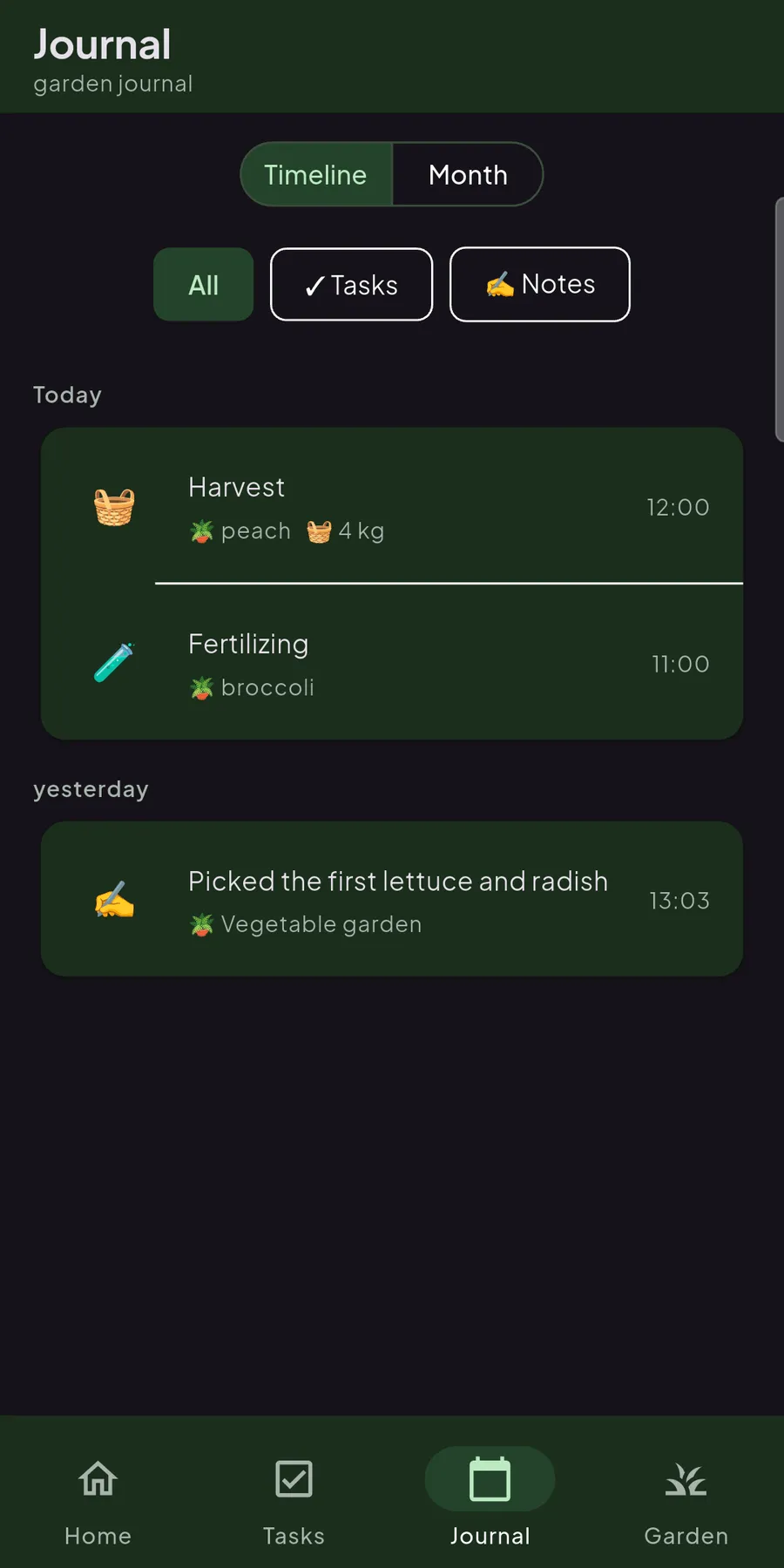
Your garden’s whole history on one timeline
The journal strings together everything that happened in your garden, day by day, months back. You glide through the calendar with a finger and instantly find when you last pruned the apple tree or when a late frost caught you out. Nothing is lost, even after half a year.
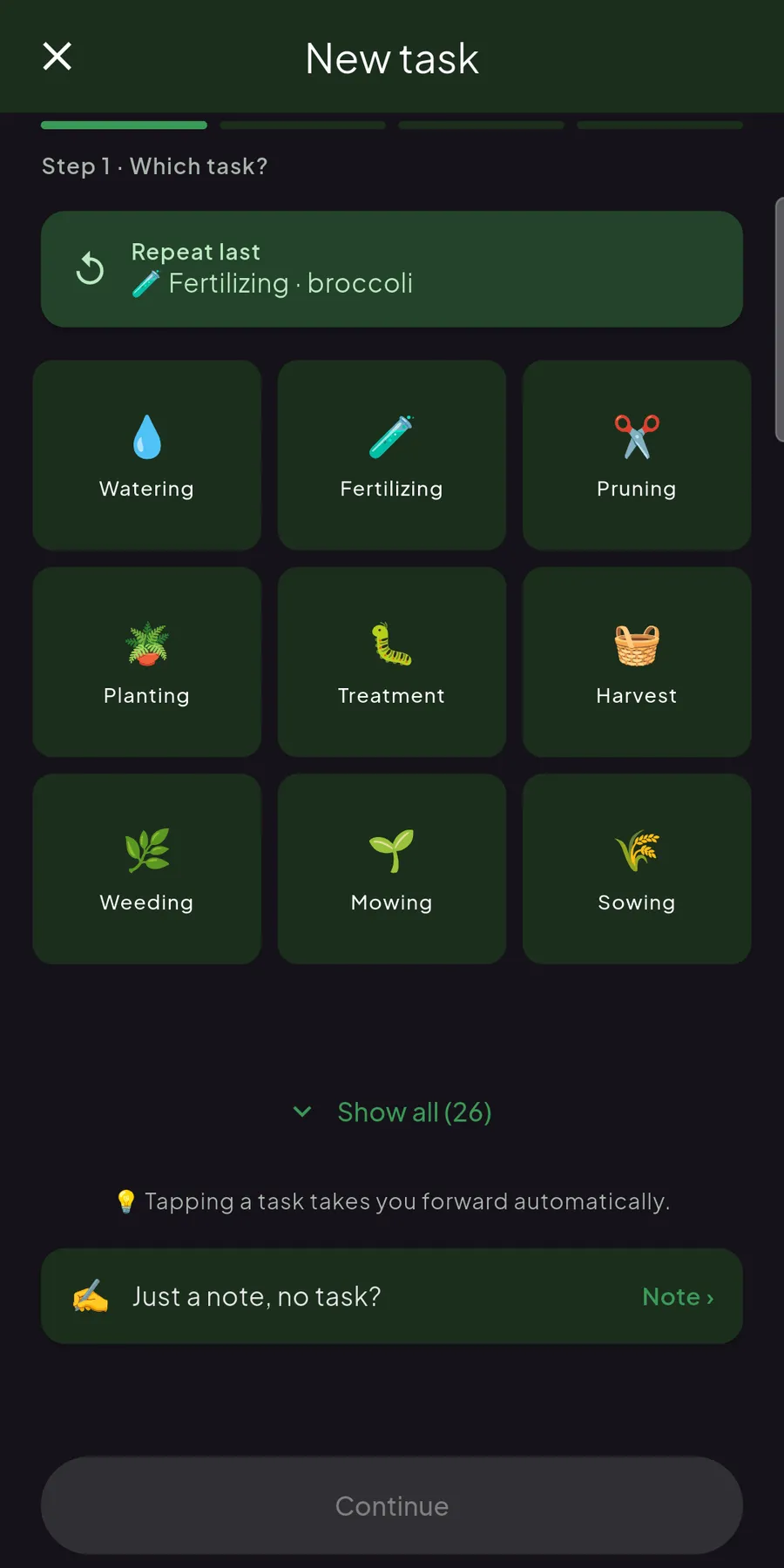
An entry in a few taps, no typing
What you did, to what and when, in three steps. You pick the task, add a plant or area and, if you like, attach the supply used or a short note. Tendask records the weather and location cell itself, so you don’t have to think about the details.
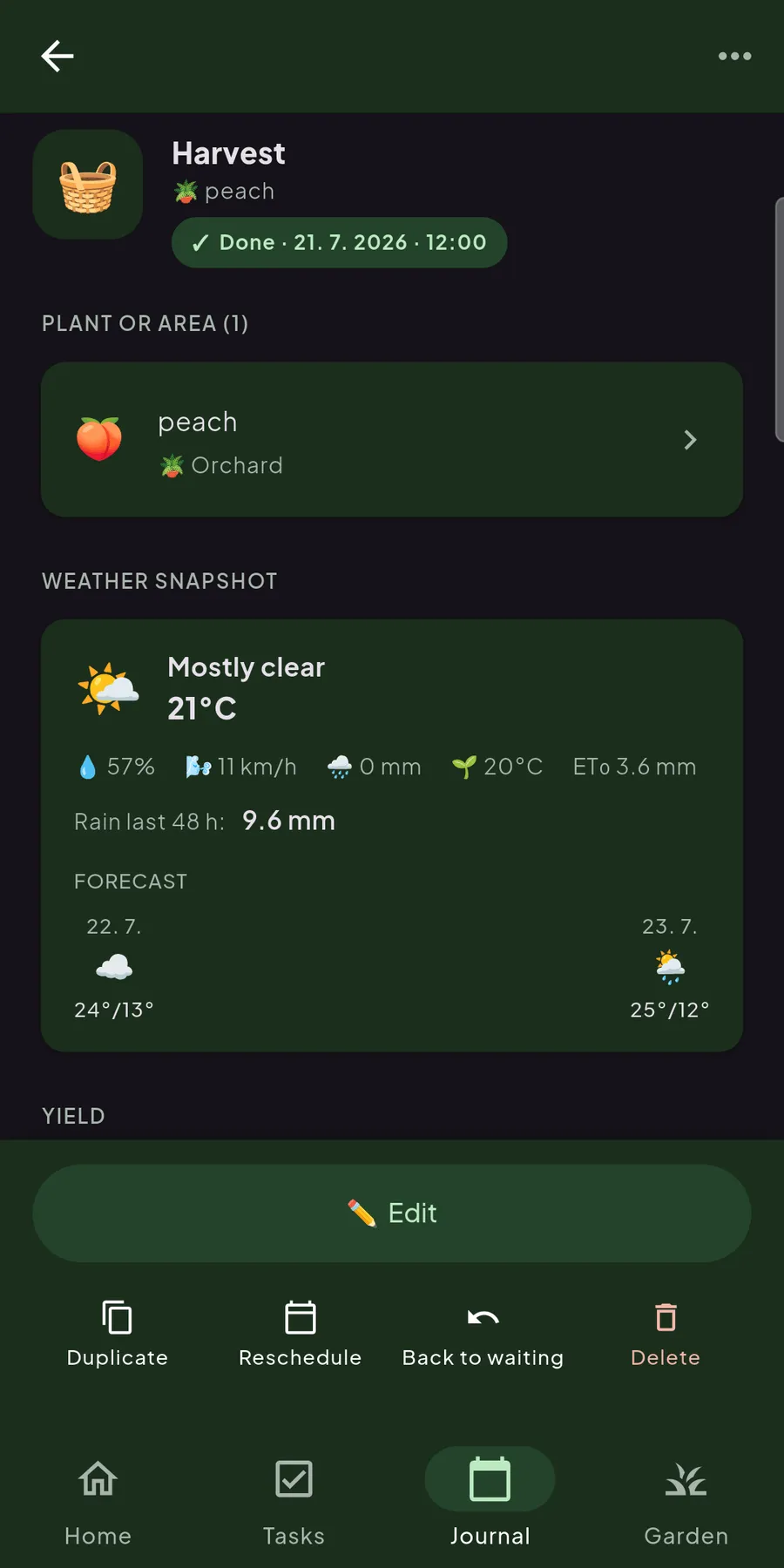
Every entry remembers the weather it was done in
Open any task and you get the full picture: which plant or area it touched, the yield you noted, and a weather snapshot from the moment (temperature, rainfall, wind, even the rain of the last 48 hours). Duplicate it, reschedule it or send it back to waiting. Nothing is a dead end.
Soon: what’s happening around you
In one of the coming updates, your location will fall into a hexagonal cell about five kilometres across, the same one our logo carries. Through it you’ll sense your neighbours’ rhythm: when people in your area sow, spray and harvest, without anyone knowing exactly where you garden.
Only approximate, never exact
Tendask will know only the cell, about five kilometres across, never your exact coordinates. Those are never stored, only used to compute the cell.
The season’s pulse around you
You’ll see what grows well in your area and when others get going: small cues for your next step.
Questions before you install
Is Tendask free?
Yes, completely and with no ads. The core app (tasks, journal, plants, weather and reminders) stays free. Alongside it we’re building more advanced features (such as a biodynamic lunar calendar and smart, weather-aware suggestions). Some of these will in time be part of a paid Tendask+ plan.
Which devices does it run on?
Android for now, via Google Play. There’s no iPhone (iOS) version yet.
Does it work without an internet connection?
Yes. You can run your whole garden offline. Tasks, entries and the journal work out in the field just as they do at home. Everything syncs automatically once you’re back online.
Do I need an account?
No. Everything works without one and your data stays on your device. Sign in only if you want your garden backed up to the cloud and synced across several devices.
What happens to my data?
When you sign in, your entries are stored safely in the cloud and synced across devices, so you never lose your garden’s history. Your data stays yours: you can export or fully delete it at any time.
What can I keep track of?
Garden tasks and chores (sowing, fertilising, watering, pruning), each with a weather snapshot, a reminder and a full history. You can keep more than 140 plants, beds and areas, your supply stock, tried-and-tested mixtures (recipes) and your harvest, all gathered in one journal.
What’s coming next?
We’re preparing a Tendask+ plan with advanced features: a biodynamic lunar calendar (days for fruit, leaf, flower and root), smart suggestions and weather-conditioned reminders.
Your garden, your data
Everything works without an account. But once you sign in, your garden travels with you. Entries are stored safely in the cloud and synced across all your devices, so you never lose your garden’s history.